Test your gameplay
Play the level
- Open the level that uses your Python actor or Blueprint and save your changes.
-
Open Window → Output Log, then press Play in the Level Editor. Trigger the behavior you changed and check both what happens in the level and what Python logs.

-
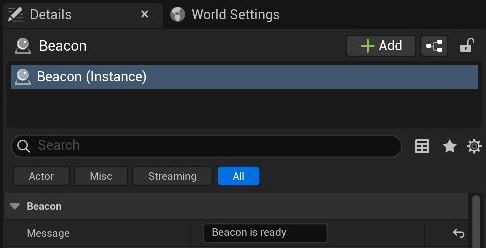
To test different values, stop play, select the actor in the Outliner, change a property in Details, and press Play again.
For replicated behavior, play with a server and client. To check behavior that only runs when the game starts, use Standalone Game.
Repeat a check from the terminal
If you have Python tests for gameplay, unrealpy test runs pytest in the engine so your test uses real Unreal objects.
unrealpy test -- Tests/engine -k door
See the command line reference to run the launcher from your project.
Test the door in Unreal
Finish Build an interactable door to get Python/scripts/door.py. The test spawns the Python actor in the engine, checks its rotation in both states, and records the states reported by the dispatcher.
- Download
test_door.pyand save it asTests/engine/test_door.pyin your project. - From the folder containing the
.uproject, add pytest to the development environment if it is missing, then run the test.
uv add --group dev pytest
unrealpy test -- Tests/engine/test_door.py
Expect 1 passed. This test checks the Python actor inside Unreal. Use Play In Editor to exercise the Blueprint key event and mesh, then repeat those steps in a Development package.
import pytest

import ue
from scripts.door import Door


def test_door_opens_and_closes() -> None:
    door = ue.spawn_actor(Door, open_angle=60.0)
    assert door is not None
    reported_states: list[bool] = []

    def report(is_open: bool) -> None:
        reported_states.append(is_open)

    door.on_door_toggled.add(report)
    try:
        closed_yaw = float(door.get_actor_rotation()[1])
        door.toggle_door()
        assert float(door.get_actor_rotation()[1]) == pytest.approx(closed_yaw + 60.0, abs=0.01)
        door.toggle_door()
        assert float(door.get_actor_rotation()[1]) == pytest.approx(closed_yaw, abs=0.01)
        assert reported_states == [True, False]
    finally:
        door.destroy_actor()